
By PremiumWP in WordPress Plugins
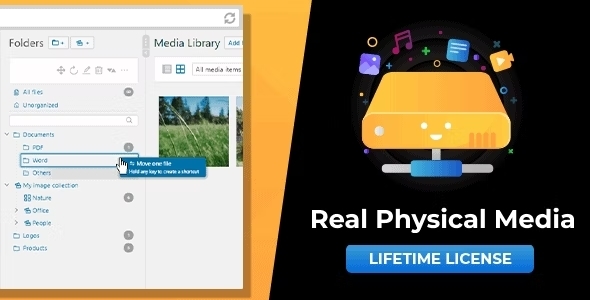
Physical Media Folders & SEO Rewrites in WordPress ? Reflect the folder structure of your Real Media Library in your fil
Download Real Physical Media 1.5.125 – Physical Media Folders & SEO Rewrites in WordPress – Reflect the folder structure of your Real Media Library in your file system. Organize media in physical folders and benefit from SEO-optimization. Add-on for popular WordPress plugins Real Physical Media is an add-on for Real Media Library (free or PRO) and Media File Renamer (free or PRO). You need to install both plugins to use Real Physical Media. All Features of Real Physical Media Real Physical Media comes with a lot of features to physically manage your uploaded media. For this plugin we have focused on a high-performance solution that can most effectively improve your ranking in search engines. Physically restructures all uploads in your WordPress media library using the folder structure created with Real Media Library. Moves new uploads directly to the correct physical folder (instantly done; no need to queue). Removes special characters from file and folder names for best international compatibility. SEO-optimized descriptive path names with meaningful folder names and file names that are renamed by their title. SEO URL redirections protect you from errors: If your or another website refers to a file whose URL changes when the file is moved, the user’s browser is automatically redirected with a 301 and 302 redirect for best SEO results. Works with all files in your media library such as images, videos, audio, text or PDFs. You are independent from this plugin. Your files will remain in the physical folders, even if you delete this plugin at some point. You can physically arrange all folders already created with Real Media Library before installing this plugin. This will give you better visibility of all images on your website in search engines – not just newly uploaded ones. Set up an additional upload suffix to be added to your upload folder, e.g. wp-content/uploads/storage/ Allows extra long media URL paths and file names with even more than 255 charters (default limit in WordPress). Built-in high performance file structure rewrite queuing system that protects your system from crashes or timeouts (works for large websites with thousands of media uploads). Enabled automatic queuing tracks every file movement (move, reorder, mass move, folder renaming) and automatically queues them for maximum efficiency. Optionally, set up a cron job that processes the queue in the background without blocking you while editing the website. Import categories/folders from third-party media library folder plugins such as FileBird, WP Media Folder, Enhanced Media Library, Media Library Wizard and automatically rewrite the created structure to your file system (import via Real Media Library). Supports WordPress Multisite GPDR/DSGVO: The plugin does not collect personal data without your consent! SEO Benefits of Rewriting Media Folder Structure WordPress creates by default a basic folder structure for uploads to the media library. It creates a folder for each year and month the image was uploaded. For example, the URL of your image calls https://mysite.com/wp-content/uploads/2020/01/example.gif. The structure gives you a good historical overview, but this is bad for search engines. What search engines know about your files Search engines are getting better over time, but they still rely on relatively simple data. Nowadays, search engines can’t recognize what the content of an image is, or interpret it. Instead, they depend on additional information that you as a webmaster pass on to them. Thus, the alt and title attributes in the tags of your website give search engines very valuable information about the content of the image – and you can control it. At least as important is the information about which images are related to each other – which you can also control. For example, Google should know that the GIFs of the most important features shown above belong to each other and to the product Real Physical Media. The easiest and even for humans the most intuitive way to group these images is a folder structure. How a good folder structure looks like You can reflect the folder structure as a path in the URL of your image. Instead of the given example URL, the URL should rather look like https://mysite.com/wp-content/uploads/real-physical-media/product-description/features/seo-optimized-file-paths.gif. From this path name, the search engine can determine the full context of the image. The image shows the SEO-optimized file paths feature that is part of the Real Physical Media product description. The URL is also much easier for a human to understand. Real Physical Media does exactly that for you. It automatically reflects the folder structure which you have already created with Real Media Library in a meaningful path name and increases the ranking of your images (and in the end your complete website) in search engines like Google, Bing, Yahoo, Baidu or Yandex. Perfect Match for Real Media Library Real Physical Media was developed upon requests of users of Real Media Library. For these users, the intentionally simple handling of Real Media Library without changing the file path was not enough. We took a close look at the technical challenge of restructuring even tens of thousands of files in WordPress and built a highly efficient system that allows SEO-optimized file paths and names in WordPress.
🔗 Need help? Read our Installation & Update Guide or visit the Product Information page.
Get the updates, offers, tips and enhance your page building experience
Up to Top


Comments